
99Exch Login — Two-Tap Sign-In, WhatsApp Reset & Free Demo ID
One username, one password, one tap at 99exchi.net — the 99Exch login is the quick part. Below it: a forgotten password, a demo 99 Exchange ID, and a form that keeps refusing you. 18+.
Two Boxes Open the Official 99Exch Login — Nothing Else Needed
Two boxes and a button, and that is the entire 99Exch login. The username is the one the support desk issued, the password is whatever you set on first use, and neither changes when the address does.
Not been issued one yet? Pick up a 99 Exchange ID here — roughly a two-minute round trip on WhatsApp.
The two boxes above are a filled-in sample of the live screen, there so the shape of it is familiar before you arrive. They send nothing anywhere.
Signing in fast to your 99Exch ID
Three steps, and the third one is a button. What follows is the long version of each — what the field will actually accept, and where a 99Exch sign-in goes wrong for people who have done it fifty times before.
Open the official 99exch site
Go to 99exchi.net. Nothing sits above the login form on the homepage, so there is no menu to work through, and the same form carries the demo button — which is why people hunting for practice mode land here too. Search results will also throw up 99exch with a .live, a .com or a .net on the end. Those are addresses, nothing more: Indian ISPs block betting domains, so the operator keeps a spare answering, and the ID, the password and the balance are identical behind each one. Whichever spare is awake today is posted on 99Exch live. Regulars tend to keep two saved and try the second when the first stalls.
Enter your username & password
The desk issues the username, and it tends to read like a short handle with digits stuck on the end — 99exch_meera22, in the sample above. Capitals in it are ignored. The password is not ignored: character for character, in the exact case you set it, and that single difference accounts for more refused 99Exch logins than every other cause put together. Registered on a mobile number rather than a name? The top field takes the ten digits alone, no +91, no spaces. And there is no OTP. No code arrives by SMS, no confirmation mail is sitting in a spam folder — a 99 Exchange sign-in is those two strings and a tap, which genuinely surprises people braced for the bank-app routine.
Tap Login on 99exch
Then the button, and the sign-in part is over. Balance at the top, cricket exchange behind the opening tab, prices arriving a beat later on a second pass once the feed connects — a board that is still half drawn for a second or two is normal, not a refusal. Everything else is one tap from there: the wallet area for deposits and withdrawals (the 99Exch home page has the methods and the timings), the casino tables, Aviator, the sportsbook.
Sixty seconds, start to finish, on a connection that behaves. Longer if the password needs a second go.
Free login with a 99Exch demo ID
Under the two sign-in fields sits a third way in, and it asks for nothing at all: Login with Demo ID. No username. No message to the desk, no wait on anybody. What opens is the 99Exch account screen a funded player sees, in every respect except one — cricket exchange, casino tables, Aviator, prices moving in real time — running on a 99exch practice figure that rises and falls with the result and cashes out to nothing at the end of it.
What the demo is good for is geography. Where the match list sits. Which tab holds teen patti and which holds the sportsbook. What a back price looks like sitting next to a lay price, and what a settled bet reads like after the market closes and the line resolves. Learning all of that on a 99exch practice balance costs nothing at all.
What it cannot do is move money. Deposits, withdrawals and the bonus area stay shut, because there is no real money behind the number. Nothing travels across, either: balance, open positions and history stay in demo once a real 99 Exchange ID exists. The demo does not convert into an account. It simply stops being the thing you open.
And it stops earning its keep the evening the screens stop surprising you — usually one sitting, two if you are thorough. After that the demo has nothing left to teach, because the half it cannot reproduce is the wallet, and the wallet is the half that makes a 99Exch screen behave like a real one. Collect a live 99Exch ID from the desk and every layout you already learned carries over unchanged.
Forgot your 99Exch password? Fast reset
A reset changes the password. That is the entire blast radius — the 99 Exchange ID itself, the balance inside it, a bet still running on a live match, the settled history behind all of it, every one of those comes through untouched.
- Send the desk two strings on WhatsApp: the mobile number the 99Exch account was registered on, and the username that keeps bouncing. Both in one message saves a round trip.
- Both halves have to line up against the account record before anything is issued. A correct username alongside a number nobody ever registered earns a polite question rather than a password, and the reverse stalls in the same way, since one mobile number cannot say which 99 Exchange ID is meant if the desk ever put two of them on it.
- The replacement comes back in the same thread, usually inside the couple of minutes the desk takes to issue a brand-new ID. Copy it. Do not retype it from the screen.
- Use it inside the first minute. Issuing the replacement kills the old string immediately, so any half-open session on another device will stop at the next tap and ask for the new one. Change it from inside the account afterwards, not back at the desk — nobody there needs to know what you picked.
One case the desk genuinely cannot solve: a username nobody wrote down, on a mobile number that was never registered against it. There is nothing left to match, and describing the account in detail does not get round that. It is rare, and nine times out of ten it turns out the 99Exch ID was issued to a cousin's number and that cousin still has the thread. Ask around before writing the account off.
Everything else is one message. A lock after too many wrong attempts, a password you are fairly certain about that the form keeps rejecting, the 99Exch address that stopped answering this morning — the 24×7 desk settles any of them in the same thread. Support sits on +91 81097 11726 and 99exch247@gmail.com, though chat is quicker than mail by a wide margin.
Trusted 99Exch login safety tips
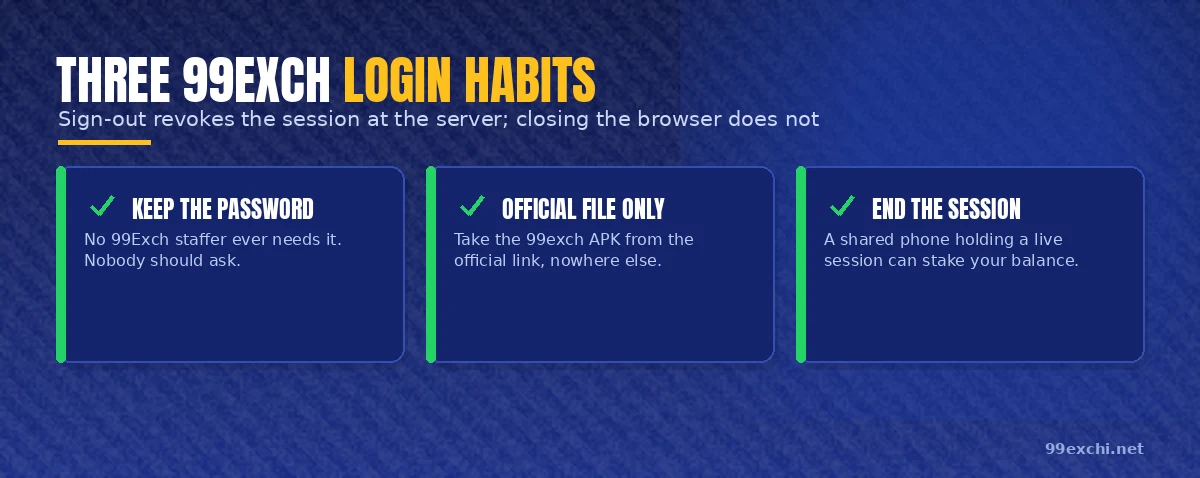
- Keep the password to yourself — no 99Exch staffer ever needs it.
- Use the official app — download the 99exch APK only from the official link.
- End the 99Exch session yourself — a shared phone holding a live session can place bets with your balance and start a withdrawal, not merely read the screen. Sign-out revokes it at the server; shutting the browser does not.
Fast 99Exch Login in the App or the Browser — Where the Session Lives
Two fields either way. What changes is where the session is kept afterwards, and that is what decides whether you get dropped.
In a browser the session lives in site data for 99exchi.net. Cookies, broadly. Clear your browsing data, switch to a private window, or let the browser decide on it's own to tidy up after a fortnight with the tab left open, and the session goes with it. That is the familiar case of a 99Exch login that behaved all last week and suddenly wants the password again on a Tuesday for no visible reason. Nothing is broken. The cookie aged out.
The app keeps the session in its own storage, which is why it survives what a browser tab does not: a signal that dies mid-over, a train through a tunnel, the phone locked for two hours on a table. Come back and the card is still sitting there. The app also reconnects to the feed by itself once the signal returns, where a browser sometimes sits on a frozen price until you pull down to refresh. Size, current version and the install route belong to the 99Exch app download page.
Signed in on two devices at once is normal and allowed — laptop on the exchange, phone on the casino tab, one 99 Exchange ID behind both. The balance is a single number on the server, so a deposit made on one shows up on the other the moment it clears. The thing not to do is leave a laptop signed in somewhere shared. That session stays live until something ends it, which is the next section.
How a 99Exch Login Session Holds — and the Fast Way to End It
A session is a token, not your password. Once the 99Exch login goes through, the server hands that device a short string meaning this one is allowed, and the token is what keeps you inside. It explains why the password box does not reappear on every tap, and why signing out matters rather more than closing a tab.
Closing the tab does nothing to the token. As far as the server is concered that device is still signed in, and reopening 99exchi.net inside the window drops you straight onto the account screen with nothing asked. Sign Out is a different action: it tells the server to discard the token, and the next request from that device gets the login form back. One is tidying your desk. The other is handing the key back.
Saved passwords are the other half of it. A browser that offered to remember your 99Exch password and got a yes will fill both fields for whoever opens it next — on a shared laptop as readily as on your own phone. On your own device that is a convenience worth having. On a borrowed one it is the single habit worth breaking, because the owner gets the phone back with a funded 99 Exchange ID pre-typed and one tap from the balance. Undoing it later means digging through the browser's saved-password list, and nobody remembers to do that.
A fresh sign-in after a session ends looks like the start of this page: two empty boxes, the same username, the password typed once more. No re-verification. No message to the desk, no queue, no waiting on anything. Seconds back into 99Exch, assuming you know the password — which loops you back up to the reset section if you do not.
99Exch login troubleshooting — fast fixes
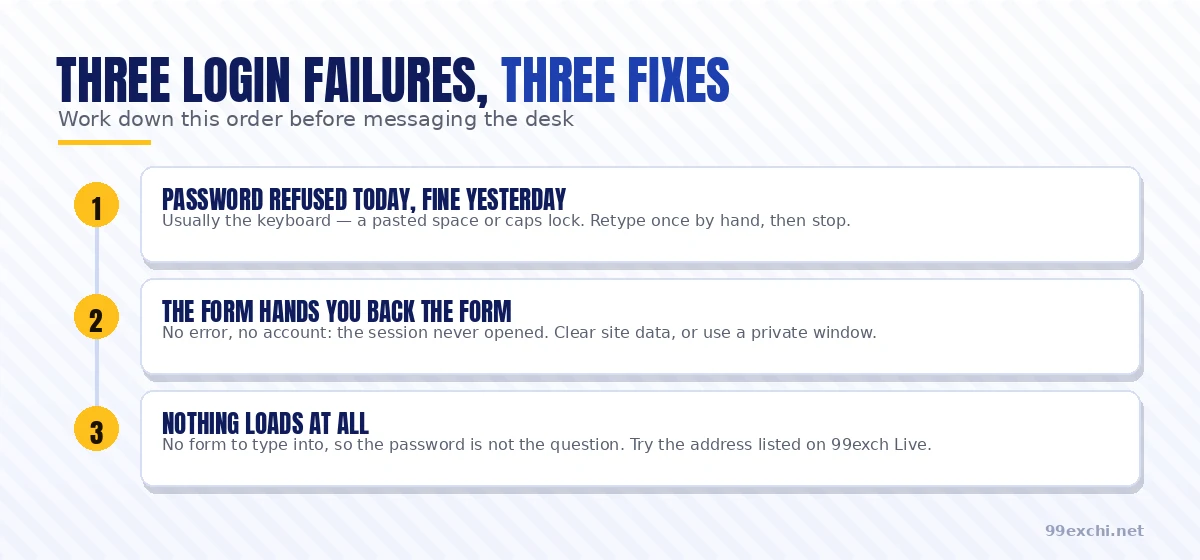
Six things the 99Exch login form does when it will not let you in, what each one actually means, and the move that clears it. Read the screen first. The words on it narrow the problem down faster than retyping ever will.
| What the screen says | What it means | The fix |
|---|---|---|
| Invalid username or password | The string is wrong, not the account | Retype both by hand once. No paste, caps lock off. |
| The form comes back empty, no error | The session never opened | Clear site data for 99exchi.net, or use a private window. |
| Nothing loads at all | That address has been blocked and rotated | Take today's address from 99Exch live. |
| Account locked | Too many wrong attempts in a row | Stop trying. Message the desk with the registered mobile number. |
| App opens to a blank card | Shell loaded, feed did not | Force-close and reopen. Still blank, reinstall. |
| Works on the phone, refuses on the laptop | Stale cookies on that one device | Clear site data on the machine that fails. |
A refused password is nearly always the keyboard. A space that arrived with a paste out of a notes app, caps lock quietly on, a zero typed where a capital O belongs, or the password from some other account you have been mixing it up with for a fortnight — those four between them cover most of what lands at the desk. Retype it by hand, with the field revealed if the form offers the eye icon. Slowly. Then stop — attempts three, four and five will not find a typo you did not make, and they will lock the 99Exch ID.
The self-reloading form confuses people most, because nothing on screen claims anything went wrong. You type, you press Login, and the same empty form returns. That is a session that never opened: the browser is holding stale cookies for 99exchi.net and the server will not issue a new token on top of them. Clear site data for the domain, or open a private window and sign in there. If the private window works, the cookies were the culprit and you now know exactly what to clear.
Nothing loading at all is not a sign-in problem, and no amount of retyping touches it. Once an address gets blocked the operator moves to another one, so the form you are looking for is simply somewhere else today — a different string in the address bar, the identical two fields behind it, and the balance you left on Sunday sitting exactly where you left it. Same ID, same password.
A locked account unlocks at the desk, not by waiting it out. Send the registered mobile number and the username, say that it locked, and it comes back — the thread that handles a 99Exch reset handles this too. Do not keep hammering the form meanwhile; each attempt pushes the the counter further along.
A blank card in the app means the shell loaded and the live feed did not. Force-close from the recent-apps tray, reopen, and it redraws. Blank on the second attempt means the build is stale, and a clean copy from the 99Exch APK page settles it.
Then the strange one: a 99 Exchange ID that signs in on the phone and refuses on the laptop. The account is provably fine, because the phone just proved it. So the fault is on the machine that fails, which is its cookies nine times in ten and an over-eager extension the tenth. Clear site data there. If it still refuses, try a second browser on that same laptop — that takes ten seconds and settles the argument.
Still outside after all six? Send the desk the exact words on your screen, the device you are on, and the registered mobile number. A screenshot saves a round trip; a description of the error usually costs one.
Why the Official 99Exch Login Asks for Two Things and Stops
A username and a password prove one thing between them: whoever is typing knows what the account holder knows. That is the whole of it. They do not prove identity, they do not prove age, they do not prove the phone in the hand is the right hand. A 99Exch login never pretends otherwise. It is a door, and the checking happened earlier.
Earlier means WhatsApp. The desk verified you at the point the 99 Exchange ID was issued, in a conversation on a number that belongs to an actual person — a firmer check than an email click-through, given an email address takes forty seconds to create and proves nothing about who created it. The 99Exch ID desk covers what that conversation asks for. Verification sits at the front of the account, once, and the sign-in afterwards keeps out of the way.
Which is why a 99Exch sign-in deliberately has no KYC wall standing between you and the form, no OTP loop that stalls when the SMS is delayed by a gateway, no confirmation mail to go and find. Nothing in the path waits on a third party.
The effect shows up at the worst possible moment. Nineteenth over, the price is moving, and the browser has signed you out. Two fields and a tap puts you back on the live card. An OTP would have parked you in a queue behind a telecom gateway while the over finished without you — and that trade, speed at the door against theatre at the door, is the reason the 99 Exchange login is two boxes and not six.
99Exch login — quick FAQs
How do I login to 99Exch?
I forgot my 99Exch password. How do I reset it?
Can I try 99Exch without an account?
Why can't I login to 99Exch?
How do I log in to 99exch?
99exch Login and 99 Exchange Fast Sign-In Keywords
- 99exch login, 99 exchange login, 99 exchange id login
- 99exch com login and https 99exch com login
- http 99exch com login, 99exch com login password
- 99 exchange login password, 99exch live login
- 99exch live and 99 exchange live
- 99exch id, 99 exchange id, 99exch new id
- 99exch new id number, 99exch sign up, 99 exchange sign up
- 99exch register, welcome to 99exch, welcome 99exch
- 99exch app, 99 exchange app, 99exch app download
- 99exch apk, 99 exchange apk, 99exch com apk
- 99exch download, 99exch download apk, 99exch app download apk
- 99exch app download apk latest version
- 99 exchange com and https 99exch com
- 99exch in, 99exch in login, 99exch io
- 99exch green, 99exch red, 99exch win, 99exch win login
- 99exch com m home, https 99exch com m home
- 99exch com m login, https 99exch com m login
- 99exch com whatsapp number, 99 exchange whatsapp number
- 99 exchange customer care number